Main content
Quick Reference Guide
How to Accept or Reject a Referral
VITALsync How To | Accept or Reject a Referral
There are two ways to accept or reject a new referral. Use whichever is most convenient.
Option A: From the Case List
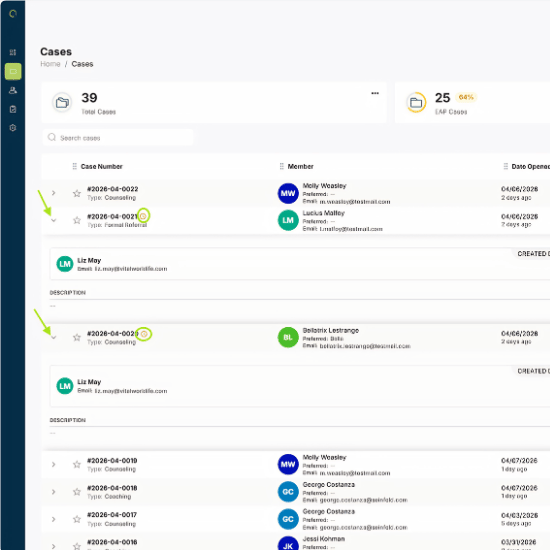
1. Find the case number within the Case list, click the arrow on the left of the case to expand the row to see more details.
Read the case and member quick view information to determine if you would like to Accept or Reject the Referral. If not fully visible, make sure to scroll to the right to see the full case and Action options.
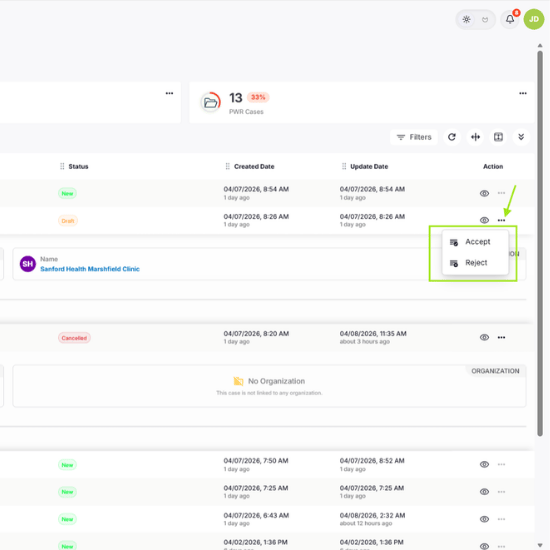
2. Click the three-dot menu (•••) on the right.
3. Select Accept or Reject.
Option B: From Inside the Case
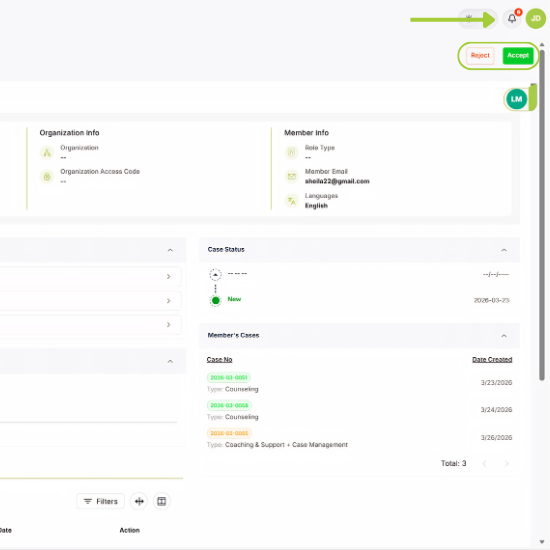
1. Open the case from your case list or from the notification bell icon at the top right window.
2. Within the case, review the information provided.
3. Click Accept or Reject in the top-right corner.