Main content
Quick Reference Guide
How to Add a Case Activity Note
VITALsync How To | Add a Case Activity Note
Case Activity Notes document interactions, communications, and non-session updates on a case.
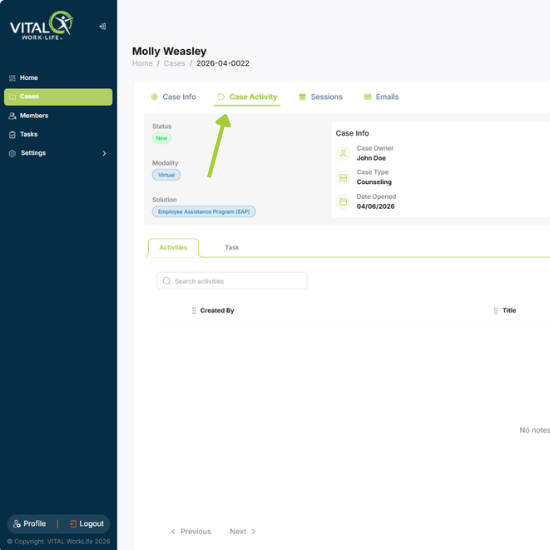
1. Open the case and click the Case Activity tab.
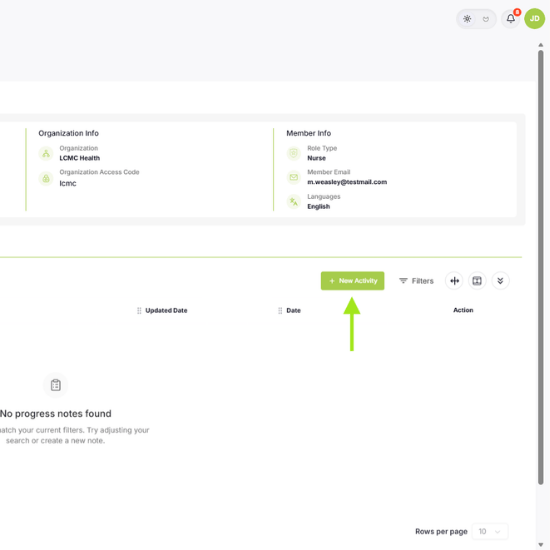
Click + New Activity
2. Click the green + New Activity button on the right.
| Tip: Case Activity Notes are for non-session documentation. Session notes are entered separately in the Sessions tab as part of the billing process. |
Fill in Your Case Activity Note
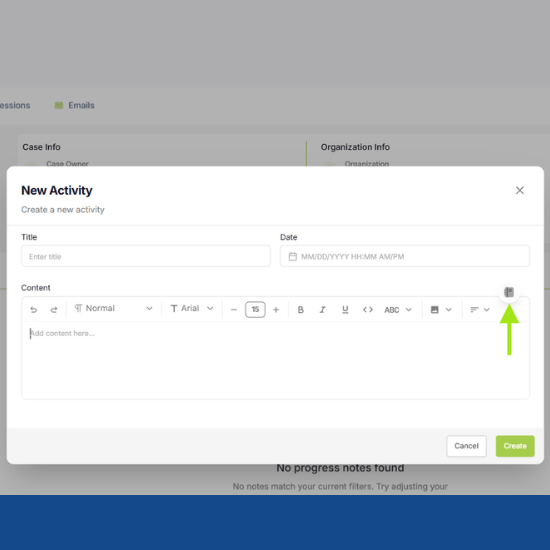
3. Enter your note in Content (required). Add a Title and Date if needed, this will auto populate if no selection is done.
4. Templates via the binder icon (optional).
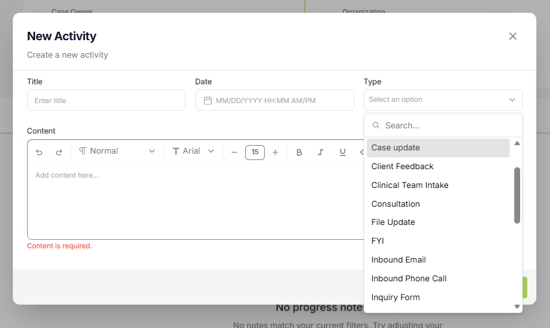
5. Use the Type dropdown to categorize your note (e.g., Outbound Phone Call, Inbound Email, Consultation).
Types help organize notes visually as the case progresses.
6. Click Create to save.