Main content
Quick Reference Guide
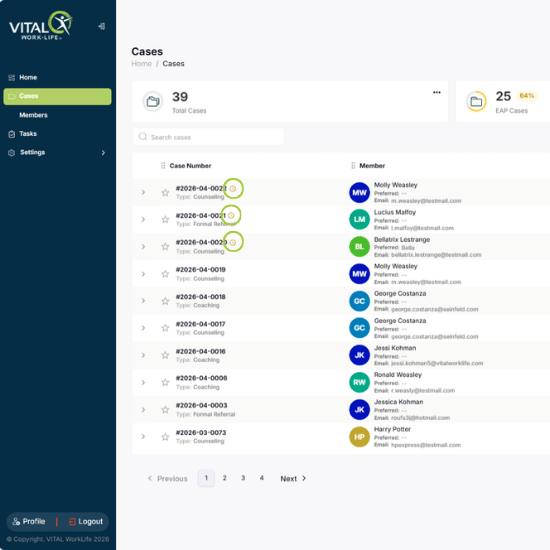
How to Identify Pending Cases in Your Case List
VITALsync How To | Identify Pending Cases in Your Case List
Quickly spot which cases need your attention by looking for visual indicators in the case list.
1. Click Cases in the left navigation to open your case list.
2. Look for the yellow clock icon next to a case number — this means the referral is pending your response.
3. Click the arrow on the left of any row to expand it and see Created By, Provider, and Organization details.
| Tip: Use the Filters button to narrow your list by Organization, Member, Service, or date range. |