
What is clinician turnover really costing your organization? Run the math in 60 seconds.

Get Started with VITALsync

VITALSync is VITAL WorkLife’s purpose-built Case Management System designed to strengthen how we coordinate, document, and deliver care across our entire network.

Start Here


Registration & Login

  1. For first time users, you will receive a secure email invitation based on your VITAL WorkLife email address or your active provider profile in HubSpot.

  2. Look for the email invitation in your inbox. It will be from [email protected].  Click the registration link in the email to set up your account. The link will direct you to create your password.

  3. Create a secure password and complete your registration.

  4. Credentials are unique and must not be shared.

If you experience issues during registration, check your spam/junk folder for the registration email. Still don't see it, Contact Us by clicking the button below.

Registration Process

Registration is initiated by the VITALsync administration team. You do not need to create an account on your own. Here is what to expect:

See What’s Inside

Navigating VITALsync: Platform Layout

Home (Dashboard)

The Home page is your landing page when you log in. It provides a snapshot overview of your work within VITALsync, including summary cards showing key metrics such as total cases, active cases, closed cases, and pending cases. The dashboard view is customized based on your role, so providers will see case-related metrics relevant to their practice, while internal staff will see broader operational data.
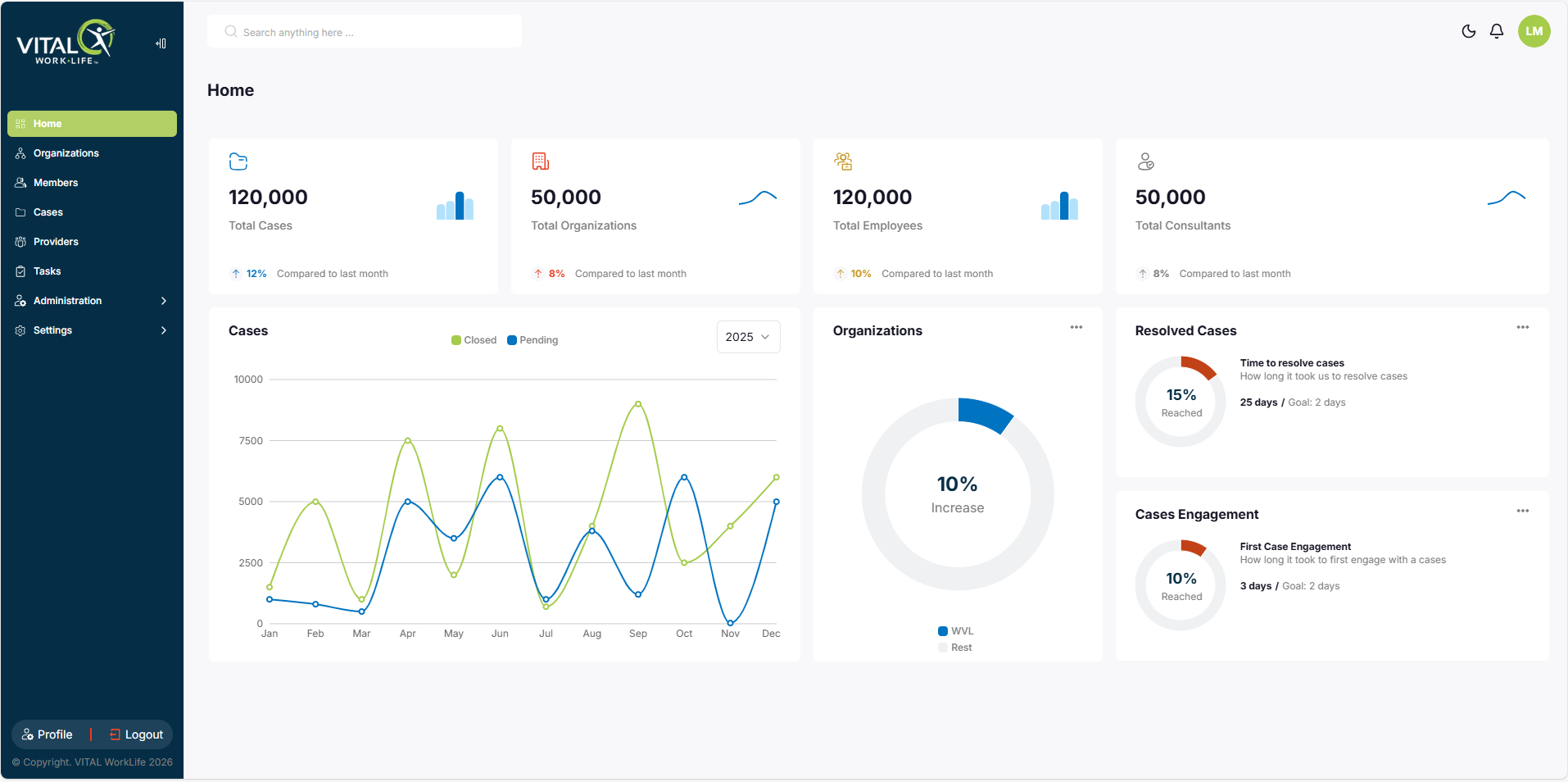
 

PRD.Homepage

Get Started

Ready to get started? You've got the basics down — head into VITALsync and start exploring. 

PRD.Homepage